Builder and Workflows
Builder
Set a meaningful Project name before generating input. Studio uses this
name for the .oqp and calculation log names and shows it in the Analysis job
list. The result directory itself has a short internal identifier so that
projects with repeated names do not overwrite one another.
Obtain a structure
Builder accepts several sources:
- open a supported structure, input, or result file;
- choose a built-in sample;
- fetch a molecule by name from PubChem;
- fetch a PDB entry by its four-character identifier;
- draw a structure with Sketch 2D and convert it to 3D; or
- type Cartesian coordinates as
element x y zin angstrom.
Select Update 3D preview after editing coordinates. Multi-frame files expose a frame slider. The display and rendering controls change only the view, not the Cartesian coordinates used for calculation.
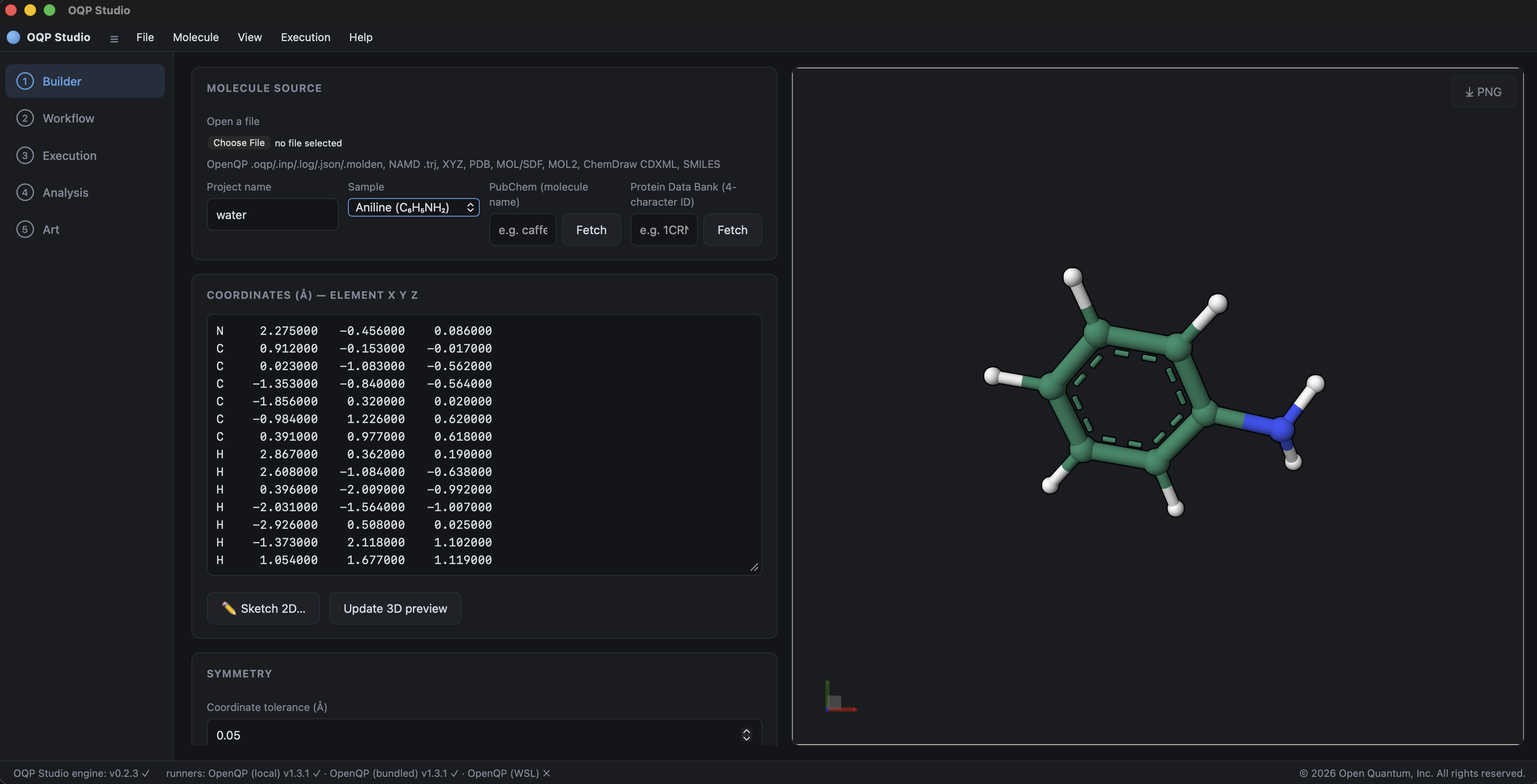
The built-in aniline sample populates the editable Cartesian coordinates and the three-dimensional preview together. The sidebar shows where Builder sits in the complete Studio sequence.
PDB and QM/MM
A PDB structure is suitable for inspection, but should not be submitted as a whole-molecule quantum calculation without chemical preparation. PDB entries commonly omit hydrogens and may contain solvent, ions, alternate positions, or an incomplete chemical environment.
After loading a PDB entry, Studio exposes QM/MM calculation. Select the
atoms to be treated quantum mechanically, choose the MM force-field files,
embedding, boundary-charge scheme, nonbonded method, and constraints, then
confirm the generated input before execution. Periodic electrostatics require a
PDB CRYST1 record. See QM/MM preparation and calculation for region
selection, boundary treatment, and validation.
Symmetry
Analyze estimates the molecular point group at the displayed coordinate tolerance, reports accepted operations and equivalent atoms, and does not change coordinates. Align principal axes is a separate explicit operation that does change the displayed coordinate orientation.
Workflow selection
Choose a workflow first. Studio then limits the Method menu and detailed options to combinations represented by its current OpenQP schema.
| Group | Workflows |
|---|---|
| Fixed geometry | Single-point energy, Energy gradient, Molecular properties, NMR shielding, PCM solvation, Vertical excited states, NAC, NACME, SOC, Ionization/EA (EKT) |
| Structure and path | Geometry optimization, Excited-state optimization, Bond-distance scan, TS, IRC, MEP, NEB |
| Crossings | MECI, MECP, Three-state intersection |
| Vibrations and dynamics | Frequencies (Hessian), Ground-state QM/MM dynamics, Nonadiabatic dynamics |
The Method list includes single-reference, response, and multiconfigurational methods. DFT methods expose representative functionals, the DTCAM series, and a custom functional field. Basis sets also accept a custom OpenQP basis name.
The workflow scientific reference explains the scientific purpose, principal result, and required validity checks for every Workflow menu entry. Read it before interpreting a completed job as a minimum, transition state, state crossing, spectrum, or dynamical prediction.
State-specific calculations
For response methods, Target state identifies the electronic state used by a gradient or optimization. Ground-state MRSF-TDDFT optimization uses state 0; an excited-state optimization normally uses state 1 or higher. MECI, MECP, three-state intersections, NAC, NACME, and SOC expose the states required by their respective calculations.
For a vertical excited-state calculation, the supplied structure is normally an S0 structure. For emission or excited-state absorption, first optimize the relevant excited state and analyze the result at that geometry.
Geometry optimization controls
Studio uses OpenQP's native optimizer. Coordinate system, trust radius, maximum
iterations, convergence thresholds, Hessian update, and related controls appear
under the workflow's detailed options. They are emitted in the canonical
OpenQP workflow call; Studio does not add a legacy lib selector.
Only settings changed from the documented OpenQP defaults are written to the generated input. This keeps the input concise and prevents the interface from silently freezing old defaults into new calculations.
Hessian selection
For HF and DFT, Studio selects an analytical Hessian by default when supported. Use a numerical Hessian for methods without an analytical implementation or when explicitly required. The Analysis normal-mode controls become available only when the calculation exports frequencies and displacement vectors.
PCM
PCM supports HF and DFT references. Select the SCF reference, solvent, model,
dielectric constant, and cavity radii. The engine must have ddX support; an
engine built without it reports OpenQP was built without OQP_ENABLE_DDX.
Bundled macOS and Linux engines are intended to include external ddX until the
native implementation is available. Native Windows builds currently reject
ddX; use a ddX-enabled OpenQP installation through WSL for PCM on Windows.
Generate and edit input
Select Generate input at the top of Workflow. Studio writes the concise
.oqp text into Input preview and opens Execution. Edit input makes the
preview directly editable. Once edited manually, review the text carefully:
the editor can express advanced OpenQP settings that are outside the form, but
the form can no longer explain every manual combination.
For the exact keyword definitions, use the keyword reference and workflow chapters.